
Before you choose another server
Ask your friend for the exact region and server identifier shown in their game. Two players can choose the same region and still join different servers. Agree on a destination before using the return-to-Prison option, and keep the message containing that identifier available while you make the change.
Check the server status and opening schedule if your goal is to join a newly opened server. A scheduled opening gives you a time to check availability. The actual list in the game tells you which server is available to select. If a connection error prevents you from opening that list, follow the error guide first so you can separate a transfer problem from a failed login.
Change servers in five steps
Confirm your destination and review the current session
Record the server you are leaving and the one you intend to join. Finish the activity you want to complete before moving and read any transfer information presented by the game. Keep a record of your progress and important items if you are troubleshooting an earlier transfer issue. Use that record to compare the result after you arrive.
Open the global map and select Prison
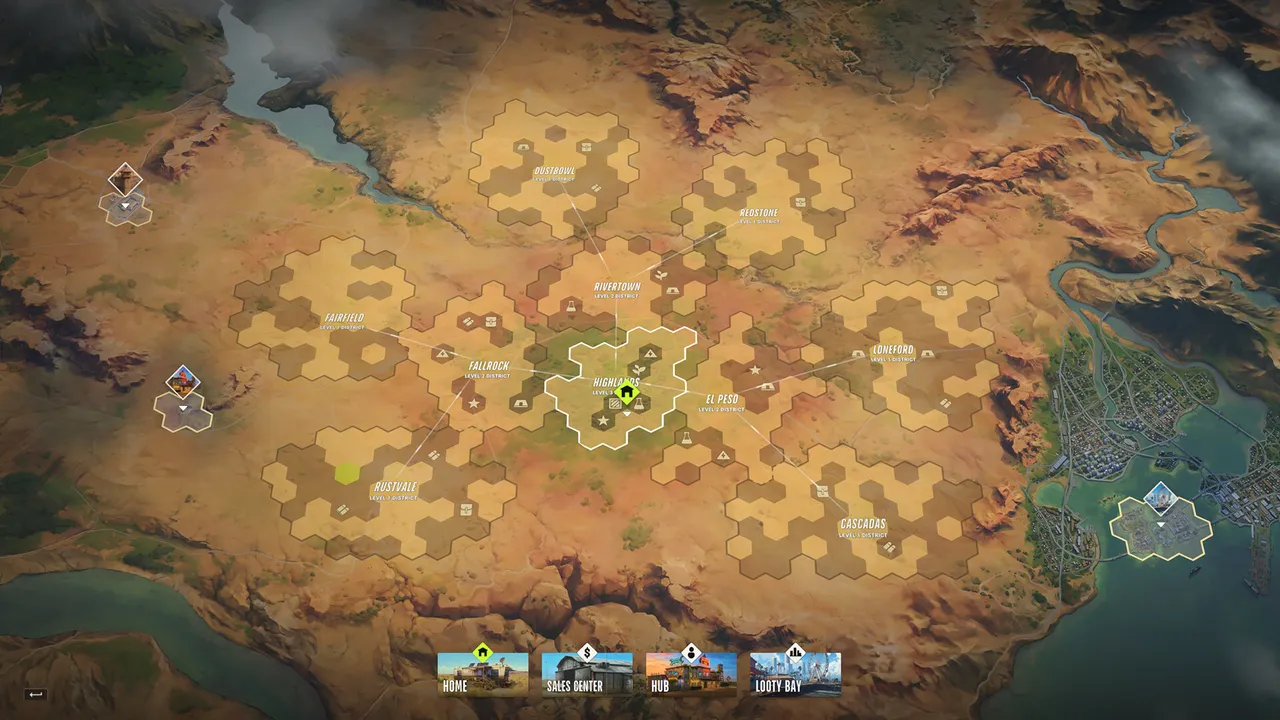
Kefir’s support article identifies Prison as the destination used to synchronise with a friend on another server. Open the global map and find that destination in your current game. The map guide explains the broader destination layout and the difference between the city and the global district network.
Choose Surrender to Feds
Use the Surrender to Feds action associated with Prison. Read the current confirmation information before accepting it, then wait for the transition to finish. Kefir’s November 13 FAQ also describes the return-to-Prison requirement when discussing server switching. The studio says it plans to simplify selection in a future update.
Select the destination server from Prison
Once you are inside Prison, use the server selection available there and choose the server agreed with your friend. Compare the region and identifier carefully. Wait for loading to complete and check the server information again after joining. If the intended server is unavailable, agree on another destination together before repeating the transfer.
Send the party invitation again
After both players confirm the same server, resend the party invite. Check that the invitation reaches the intended player and that the party state updates. Use the multiplayer guide for the wider party workflow. Keep the successful server identifier in your group’s notes so the next person joining can follow the same route.
Regions, population and server rules
EU and East US are the regions identified in the checked official schedule. Kefir publishes fresh openings at 17:00 UTC for EU and 20:00 Eastern Time for East US, with additional servers possible according to demand. Use the time converter on the server page when arranging a meeting across countries.
Choose a region by testing the connection you and your friends can actually use. Compare responsiveness during a normal session, the time when everyone is available and the age of the destination server. An established server may place you alongside players who have already built property and equipment, so consider the stage of the current cycle when planning a fresh start.
Steam’s current player count measures the whole game. A specific server’s population must come from the game’s own list or another source that identifies that server. Keep the source and time beside any population figure you use to make a decision. Avoid choosing a region solely from a count that combines all regions.
Kefir’s October FAQ describes official servers at launch. The checked announcements do not establish separate community rulesets to choose between. Read any server-specific information shown in the current client, especially if additional server types appear after this guide’s update date.
What happens to progress when you switch?
The November 17, 2026 patch notes state that progress and Battle Pass points now carry over when changing regions. This update is important when comparing advice written during the playtest or early launch period. Check that the game has finished updating before you test the revised behavior.
The announcement does not itemise the transfer behavior of every object, property or clan relationship. Review the current transfer confirmation and inspect those categories after joining. Kefir’s earlier FAQ describes clans as tied to a chosen server. Treat membership, property access and any shared storage as items to verify with your group when organising a move.
The Federal Raid has its own reset rules. Check the destination server’s current cycle and confirmed reset information, particularly if you are arriving late in its week. Keep a transfer record separate from a wipe record so you can identify which event occurred if an inventory or property result needs investigation.
Choosing a server for a first session
Agree on one destination with your group, test the connection and leave time for the introductory sequence. Learn the selling and storage options before planning an expensive activity. The getting-started guide provides a practical sequence for that first visit.
For a solo session, begin with a modest route and observe the server during the hours you normally play. Record how quickly you can join, whether driving and interactions feel responsive, and whether the available cycle suits your goals. Repeat the comparison before making a move that affects a larger group’s plans.
If the server change does not work
First confirm the complete destination identifier with your friend. Then check that both clients have updated and that both players have finished loading. Resend the invitation after verifying those conditions. If a visible error remains, capture its full text and the point in the five-step sequence where it appeared.
For a support report, include the old and new region, server identifiers, approximate time and installed version. Add screenshots of any transfer warning and the result after loading. Describe the progress category involved rather than saying everything disappeared. That detail helps distinguish a missing party invitation, a connection failure and a progress-transfer issue.
Quick answers
How do I change server in robrun?
Kefir directs players to select Prison on the global map, use Surrender to Feds, change server from Prison and resend the party invitation.
Does changing region reset my progress?
The November 17, 2026 patch notes say progress and Battle Pass points now carry over when changing regions. Check the current transfer screen for item-specific consequences.
Do I need the same server as my friend?
Yes. Follow the server-sync instructions and confirm the exact server with your friend before sending the invitation again.
Can I join an Asia or Oceania server?
The November 13 announcement says expansion to additional regions would be possible no earlier than the end of 2026. Check the current in-game list for any later change.
Sources & updates
Last updated:
- Joining a friend on another server — Kefir
- What is the Federal Raid? — Kefir
- Patch Notes, November 17, 2026 — region progress and Battle Pass transfer
- November 13 and October 2 FAQs — Kefir Steam announcements
Official screenshots and gameplay clips © Kefir, from the Steam store. Early Access details may change with updates.